How to Appear in Google AI Overviews
How do you get your website into Google AI Overviews? A practical guide based on Google’s own documentation: indexing, snippet controls, content, measurement and FAQ.
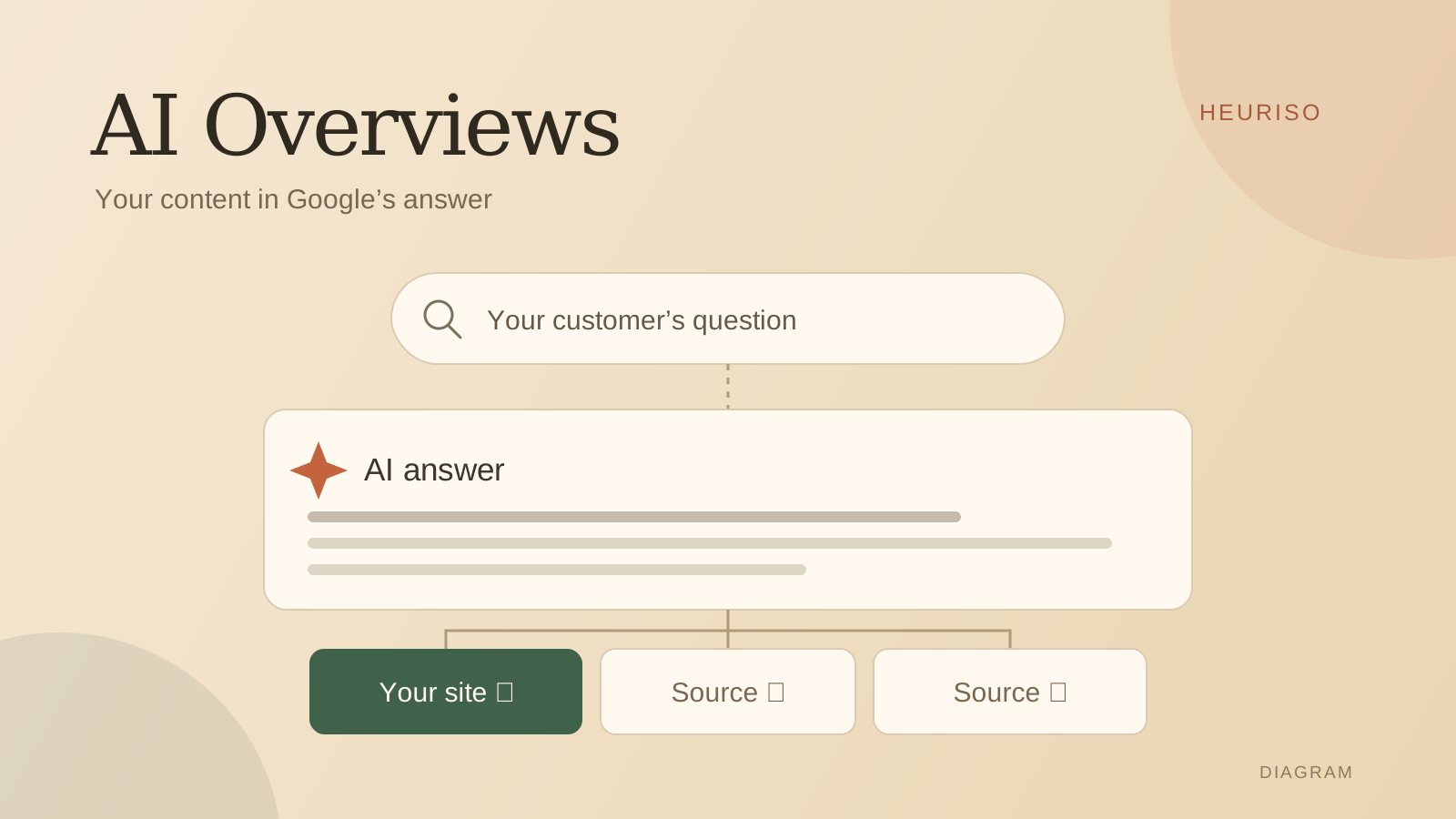
How do you appear in Google AI Overviews? Start with a page Google can index and show with a text snippet, then make sure it answers a specific customer question. According to Google’s guidance, SEO fundamentals and helpful content remain the foundation. Meeting the requirements makes a page eligible, but it doesn’t guarantee it will be shown.
Throughout this guide we’ll use one example: a bike shop that wants to show up when someone asks Google which bike to buy for commuting and weekend rides. We’ll look at what information makes it into an answer, which pages Google sends readers to, and how the shop could use that to plan its content.
Let’s separate two goals right away: a link to your own page among the sources and a mention of your brand in the answer. Track both when you assess visibility. A link to your guide doesn’t yet mean Google recommended your shop or its product.
Google’s documentation was checked on October 26, 2026.
How Google AI Overviews work
AI Overviews are AI-generated summaries in Google Search results with links to web pages. To gather information on different aspects of a question, they can use several related searches, a technique called query fan-out. Google shows an overview when it considers a summary useful for the query.
What an overview for a bike question looks like
When we tested a question about a bike for commuting and weekend rides (on Google in Polish, on September 29, 2026, without the name of any shop or manufacturer), the AI Overview compared types of bikes: gravel, trekking/hybrid and fitness. The answer focused on how the bike would be used, the road surface and the equipment.
The sources panel listed buying guides from bike retailers and a cycling site, not product pages. What stood out was the format of that material: it helped readers choose a type of bike. The answer compared use cases, while the retailers’ names appeared next to the sources. It’s a good example of why a citation of a page should be kept separate from a recommendation of the shop.
For a shop owner, the concrete task is to check whether their own guide explains how to choose a bike for someone who rides both in the city and out of town. That’s a conclusion from one observation, logged out of Google, and not a stable ranking of sources. Run the same check in your own market and language before you plan content.
1. Check indexing and your AI settings
Before you commission another article, check the page you already have. For a bike shop, that could be a guide to choosing a bike, a comparison of two models or a description of its repair service. The homepage being in Google doesn’t confirm that these pages are indexed.
Google Search’s technical requirements come down to Googlebot being able to access the page, the page working with an HTTP 200 status, and the content being indexable. In practice, check:
- that the content is public and can be read without signing in;
- that Googlebot isn’t blocked by robots.txt, your CDN or your host’s security settings;
- that the URL opens the right content;
- what status the specific URL has in Search Console.
On top of that there is the Search generative AI setting. In Search Console, go to Settings → Search generative AI and check that links and content from your site are allowed to appear. They are by default, but a property can inherit the choice made for its parent property.
If someone previously excluded the domain from AI features, the site can still appear in regular results. So this check needs two answers: is the page indexed, and does the site take part in generative AI features?
2. Review your snippet controls
A page can be accessible and still limit how its content may be used. Ask whoever handles the technical side to check the robots meta tags in the HTML, the X-Robots-Tag header and any data-nosnippet attributes. The key rules from Google’s robots documentation are:
| Setting | What it means for visibility |
|---|---|
| noindex | Excludes the page from search results. |
| nosnippet | Blocks the text snippet and the use of the content as direct input for AI Overviews and AI Mode. |
| max-snippet | Limits the length of the snippet and how much content can be used directly in these features. A value of 0 is equivalent to nosnippet. |
| data-nosnippet | Excludes the marked parts of a page from text snippets. Make sure it doesn’t cover your most important answer. |
Googlebot has to be able to access a page to read these rules. Blocking a URL in robots.txt can stop it from seeing noindex or nosnippet. A change takes effect after the page is crawled and processed again, so don’t expect an immediate result.
Agree with your team which restrictions are intentional. A sales guide and content the company doesn’t want used in summaries may need different settings. A max-snippet limit doesn’t replace separate arrangements on content use, such as a licensing agreement with Google.
Google-Extended is a separate matter. According to Google’s description of its crawlers, this token doesn’t affect a site’s inclusion or ranking in Google Search. When diagnosing your presence in AI Overviews, check Googlebot access, snippet rules and the Search Console setting.
3. Give customers information they can actually use
Back to bikes. A shop can write that it has “a wide range of models for every route”. A customer still doesn’t know which bike to pick if they ride on asphalt every day and load panniers for gravel on Saturdays.
Start from the questions a salesperson answers while helping someone choose a bike, or at the repair counter. Then check whether your guide includes what a customer needs to decide:
- whether a specific model takes a rear rack and full fenders;
- how much the bike weighs in a given size and build;
- what’s included in the price and which equipment costs extra;
- how to choose the right size and book a test ride;
- what the first service and ongoing maintenance include.
If the shop actually tests bikes, it’s worth showing the route, the conditions and how the comparison was done. If it relies on the manufacturer’s specs, it should say so. Your own experience is valuable when the reader can see what a conclusion is based on.
That’s what Google’s guidance on helpful content means in practice: the author answers a real problem, cites sources and adds something that helps the reader. Before publishing, reread the text with one question in mind: “After this paragraph, do I know more about choosing a bike for myself?”
4. Structure the guide and link it to your offer
A simple structure works: a short answer, the selection criteria, a comparison of options, an example and the limitations. For our question, headings could cover road surface, riding position, carrying luggage and equipment for rain.
A table works well for comparing weight and components. A photo can show the rack mounting points. Step-by-step instructions make it easier to get a bike ready for the first commute. Choose the format to fit the information.
You don’t need to hit a word count or chop the text into tiny pieces “for AI”. Google’s optimization guide also explains that you don’t need a special llms.txt file or extra schema.org markup.
Link the guide to the product pages of the models it describes, to your sizing service and to your repair terms. Good internal linking helps readers reach the next useful page. The link text should tell them what they’ll find after clicking.
Finally, open the page on a phone. Check that the comparison is readable and that no banner hides important information. If you use structured data, make sure it matches what is actually visible on the page. Google covers usability, images and markup accuracy in its advice on succeeding in AI search.
5. Check your store data and the cited sources
Google points to Merchant Center and Business Profile as tools that support the visibility of products and local businesses. For a bike shop, it’s a good moment to review prices, size availability, the store address and the repair service.
Pick a few key models and compare their descriptions on your website, in your product data and with your partners. Is the model year, variant and equipment the same everywhere? Can a customer see current availability? Mismatches like these turn into concrete fixes.
Do the same with the sources cited next to the AI answer. In our check, they were buying guides from retailers and a cycling site. That tells you which kind of material to analyze first. Open the specific page and check which part of the customer’s need it answers.
6. Measure impressions and brand presence
In Search Console you can use the generative AI performance report. Google confirmed its global rollout on August 31, 2026. The data is also included in overall search reporting.
The report covers impressions of links in AI Overviews and AI Mode, broken down by page, country, device and date. The total impressions aren’t limited to AI Overviews. Nor is it a log of every mention of your company. The documentation doesn’t list separate click or CTR metrics, or a breakdown by query. If your site has too few impressions, the report may not be available.
For the analysis, combine three kinds of information:
| What you check | What you record |
|---|---|
| Visibility of your own pages | Impressions and URLs in Search Console, country, device and period. |
| Brand presence | The question, the date, whether an AI Overview appeared, the wording of the mention and the sources. |
| Outcome of the visit | Inquiries about bike availability, test ride bookings or sales, as far as the source of a visit can be identified. |
After updating your guide, record the date of the change. Compare similar periods and account for seasonality and other marketing activity. A rise in impressions alone doesn’t prove that a single edit caused it.
How Heuriso helps
Heuriso regularly collects answers from Google AI Overviews and analyzes your brand’s presence, your competitors and the cited sources. You can go back to a specific question and read the saved answer instead of judging from a single screenshot.
That’s where you can track both signals from the bike example: whether the shop is named in the text, and whether its page appears among the sources. Heuriso’s results come from the samples it collects; Search Console provides Google’s data on impressions of your own site. We describe the methodology in How to measure your brand’s visibility in AI.
A work plan: from question to the next measurement
Start with a few questions close to the buying decision. Assign each one the page that best helps the customer and a person responsible for updating it.
- Record your starting point. The question, Google’s answer, the sources and your brand’s presence.
- Check the page. Indexing, snippet restrictions and participation in AI features.
- Identify the missing information. A selection criterion, a comparison, data or an example.
- Improve the content. Fill the gap and link it to the relevant offer.
- Measure again. Check impressions, answers and the outcome of visits.
For the bike shop, the first task might be adding information about racks and fenders for specific models to its guide. That gives you a clearly defined fix you can evaluate later. We describe a similar process for another AI assistant in How to rank in ChatGPT.
FAQ: common questions about AI Overviews
Can I exclude my site from AI Overviews?
Yes. The Search generative AI setting in Search Console lets you exclude your site’s links and content from the features it covers, including AI Overviews and AI Mode. That setting alone doesn’t remove the site from regular results. The noindex and snippet rules described above work separately. Excluding your own site doesn’t remove information about your company that comes from other websites.
Where is AI Overviews available?
AI Overviews is available in many countries and languages, and Google lists the supported ones in its help center. The feature doesn’t appear for every question, so its absence in a single search doesn’t mean there’s a problem with your site.
Do I need an llms.txt file?
No. Google explains that it doesn’t use llms.txt to determine visibility in Search, including its generative AI features. Start with indexing and content. Whether other services use such a file is a separate question.
Do AI Overviews reduce website traffic?
They can reduce the number of clicks through to websites. In a Pew Research Center study of the browsing activity of 900 US adults in March 2025, users clicked a traditional search result on 8% of visits to results pages with an AI summary, compared with 15% of visits without one. The researchers recreated the search results in April, so they may have looked different from what users saw in March. It’s an observation from a specific sample, not a forecast for your business or proof of cause and effect. Measure clicks, inquiries and sales on your own site; being cited doesn’t guarantee visits.
How can I check whether my site appears in AI Overviews?
Type in your customers’ questions, expand the sources next to the answer and check the specific URLs. Record the date and a screenshot of the result, then repeat the check later. The generative AI report in Search Console shows impressions of links to your pages in the supported AI features, including AI Mode. To track a specific question and how your brand is presented, keep a record of the answers, by hand or with Heuriso monitoring.
Want to know whether AI recommends your company? Heuriso measures it daily across five engines.
Try it for 7 days